
Automotive Technology
The digital layer of modern driving.
Automotive electronics now shape how drivers see information, connect devices, monitor the vehicle, manage power and interact with the cabin. Motoryva brings these technologies together through a focused range of in-car electronics designed around practical driving needs.
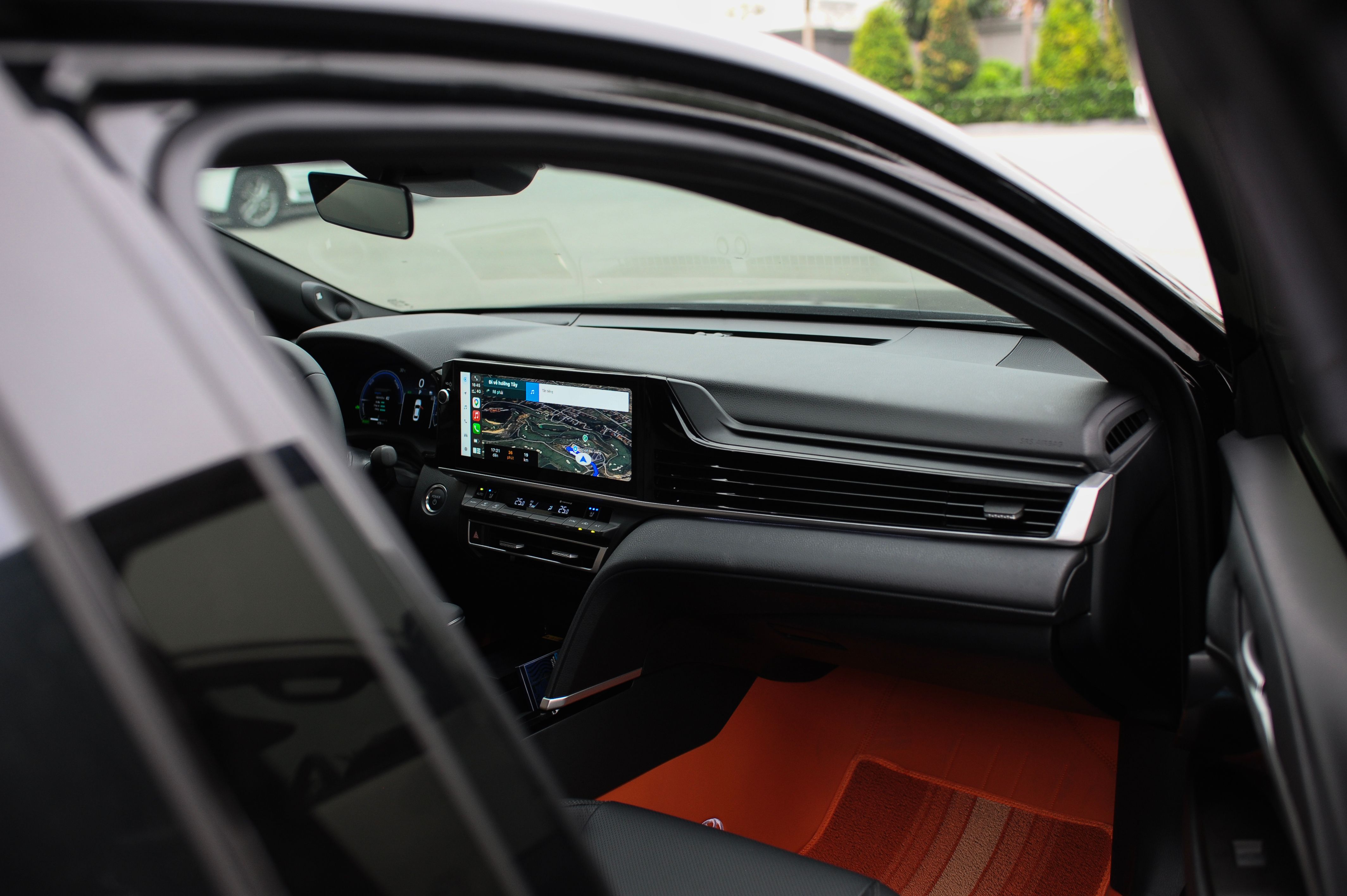
The connected vehicle environment
One cabin. Multiple technology systems.
In-car technology is not a single category. It is a network of functions that support visibility, communication, media, vehicle information and device power. Understanding the role of each system makes it easier to build a more intentional driving setup.
Information & Navigation
GPS navigation devices, car displays and head-up displays bring route information and driving data into the driver's field of interaction.
Audio & Connectivity
Speakers, Bluetooth receivers, media players and audio adapters connect personal devices with the vehicle's entertainment environment.
Cameras & Driver Awareness
Dash cameras, backup cameras and related assistance devices extend visual information beyond the driver's immediate line of sight.
Monitoring & Diagnostics
Tire pressure monitoring systems, GPS trackers and OBD2 diagnostic tools bring vehicle status information into a more accessible digital format.
Charging & Vehicle Power
USB chargers, wireless charging devices, power inverters and portable power products help support electronics used in and around the vehicle.

The cabin as an interface
Information has moved closer to the driver.
Displays and connected media systems increasingly act as an interface between the driver, navigation, entertainment and vehicle-related information. The value of the technology depends on how clearly it fits into the driving environment.
Visual information
Navigation screens, media displays and head-up displays place digital information where it can be referenced during vehicle use.
Connected media
Bluetooth receivers and media devices can create a more direct relationship between personal devices and in-car audio.
Purposeful placement
A technology upgrade should be evaluated in the context of visibility, access and the existing vehicle environment.
Core technology categories
Built around the functions drivers use.
Car Displays & Media
Digital displays and media players can centralize navigation, media and connected functions within the vehicle cabin.
Bluetooth & Audio
Bluetooth receivers, adapters, speakers and audio products connect mobile devices with the vehicle's entertainment environment.
Navigation Technology
GPS navigation devices and head-up displays provide location, route and driving information through dedicated in-car interfaces.
Camera Systems
Dash cameras and backup cameras add recording or visual support to different areas of the driving environment.
Monitoring & Tracking
TPMS products, GPS trackers and monitoring devices focus on vehicle-related information and situational awareness.
Charging & Power
Charging devices, power inverters and portable power products support electronics used throughout the vehicle and journey.
Vehicle awareness
Technology can reveal what the driver cannot immediately see.
Cameras, monitoring devices, tracking tools and diagnostic equipment extend the information available around the vehicle. Each category serves a different purpose, so product selection should begin with the type of information the driver wants to access.
Camera-based products focus on recording or additional views around the vehicle.
Monitoring tools can make specific vehicle-related information easier to reference.
GPS tracking devices are designed around vehicle location and movement data.
OBD2 tools provide a route into vehicle diagnostic information where supported.

Choosing automotive electronics
Start with the function, then evaluate the product.
Define what you want the technology to do.
Navigation, recording, charging, media, tracking and diagnostics solve different problems. Beginning with the function helps narrow the category before comparing individual products.
Review the product information in context.
Installation requirements, intended use, included components and product-specific details should be considered in relation to the vehicle environment.
Consider how the device fits into the cabin.
Screen position, access, power, visibility and connection points can influence how practical an electronic accessory feels in everyday use.
Ask when product details need clarification.
Motoryva support can help with product, order and general store questions when additional information is needed before or after purchase.

Explore Motoryva
Build a more considered in-car technology setup.
Browse automotive electronics across connectivity, navigation, monitoring, charging, cameras, audio and diagnostics, or contact Motoryva when you need help navigating a product or order question.
Automotive technology for connected driving, navigation support, vehicle awareness, in-car media, charging and diagnostic access.
Motoryva