
Product Guides
Understand the device before it enters the cabin.
Automotive electronics work best when their purpose, installation context and daily use are clear. This guide helps organize the questions worth asking before choosing displays, cameras, charging devices, monitoring tools, navigation products and other in-car technology.
Guide index
Start with the system you want to improve.
Different automotive electronics solve different problems. Begin with the function, then compare product-specific details such as placement, power, installation requirements and intended use.
Displays & Media
Consider how the screen or media device will be viewed, accessed and integrated into the existing cabin.
Cameras & Visibility
Think about viewing angle, mounting position and the role the camera is expected to serve during vehicle use.
Navigation
Evaluate where route information will be displayed and how the device fits into the driver's normal line of interaction.
Charging & Power
Match the type of power product to the devices you plan to use and review the product-specific connection requirements.
Monitoring & Tracking
Start with the information you want to access, whether that is tire pressure, vehicle location or another monitoring function.
Audio & Connectivity
Consider how the product connects with the vehicle and personal devices, and what role it plays in the existing audio setup.

Before you choose
Evaluate the role, not just the product.
Two products can look similar while serving very different in-car needs. Before comparing features, define what the device is expected to do and how it will fit into the vehicle environment.
Define the purpose
Decide whether the priority is navigation, visibility, recording, charging, monitoring, diagnostics or connectivity.
Review the product listing
Check the product-specific installation, connection, included components and intended-use information provided on the listing.
Consider the cabin environment
Think about available space, visibility, cable routing, access and how the device will interact with other in-car equipment.
Clarify uncertain details
If product information leaves a question unresolved, contact Motoryva before purchase rather than assuming compatibility or installation requirements.
Core buying questions
Six checks for a more informed choice.
What problem does it solve?
A useful starting point is to describe the driving need in plain language. This keeps the search focused on the right category.
Where will it be used?
Dashboard, windshield, console, power outlet and other placement areas can affect accessibility and how naturally a device fits into the cabin.
How does it connect?
Review the connection method described for the individual product and consider how it relates to the vehicle or other devices you plan to use.
How is it powered?
Power requirements vary by product category. Use the listing details to understand the intended power or charging arrangement before installation.
What installation is involved?
Some automotive electronics may be straightforward to position, while others can require more involved vehicle-side installation. Review product-specific instructions carefully.
Is the vehicle context clear?
Do not assume a product fits every vehicle. When fitment or connection is important, confirm the relevant product information or ask for clarification.
Installation context
A good product choice also considers how it will live in the car.
Placement, cable access, driver visibility and available connection points can change how practical a device feels. Product selection should consider the physical cabin as well as the electronic function.
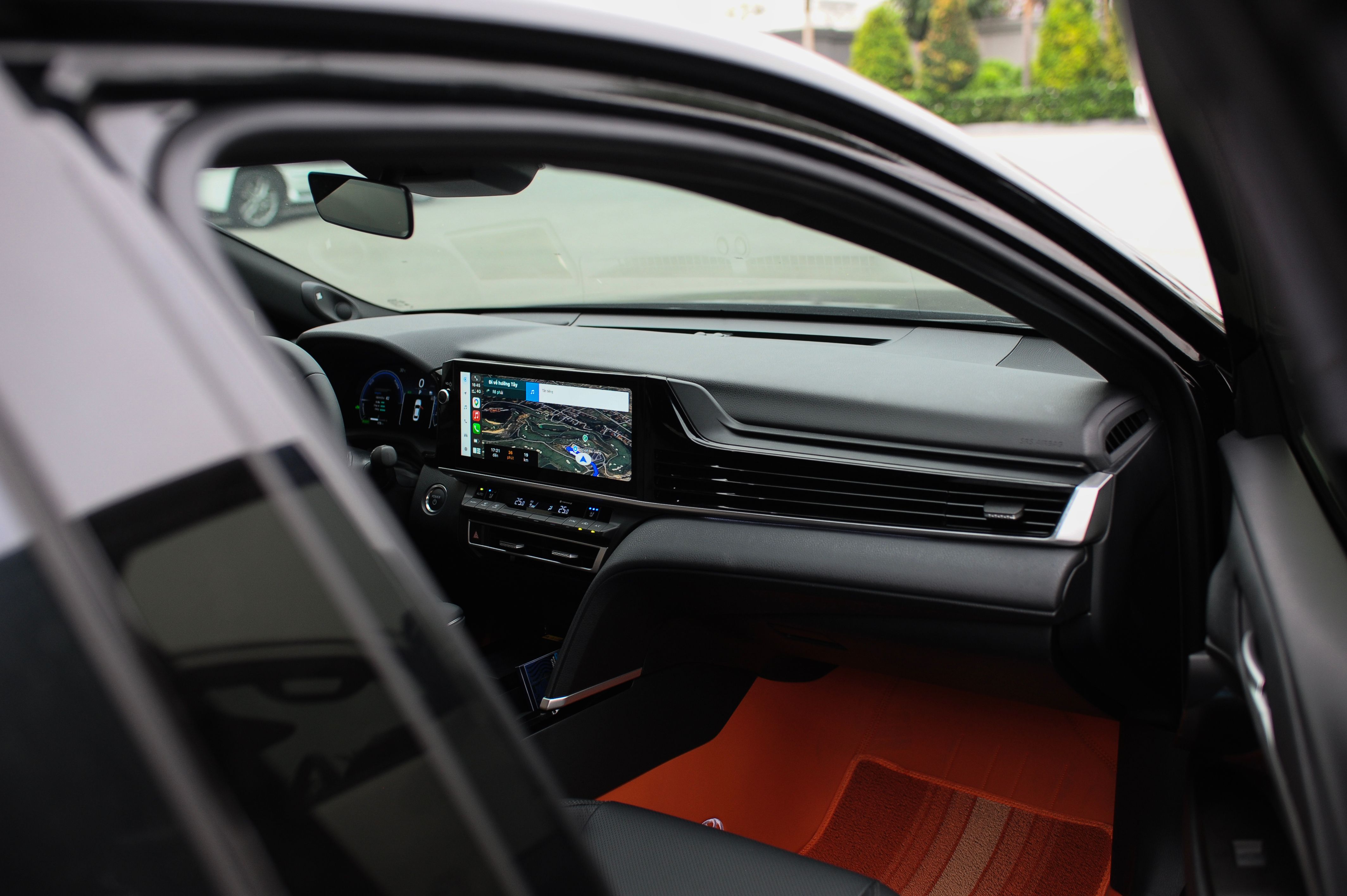
Displays and mounted devices should be considered in relation to normal sightlines and the surrounding dashboard area.
Think about whether buttons, touch controls, ports or cables remain practical once the device is positioned.
Review where the product expects to receive power and whether that suits the intended installation location.
Where fitment matters, rely on the individual product information rather than assuming universal compatibility.

Quick reference
What to look at by product type.
These are broad evaluation themes only. Always use the individual product listing for product-specific information.
Placement & interaction
Consider screen location, visibility, access to controls and how the display fits with the existing dashboard environment.
View & mounting
Review the intended mounting location, viewing direction and the specific role the camera is designed to serve.
Connection & access
Check the described power method and whether the intended installation position provides suitable access.
Information & use case
Identify the vehicle information you want to access and choose the product category that is designed around that function.

Need more context?
Browse with a clearer idea of what belongs in your setup.
Explore Motoryva automotive electronics by category, or contact our team if you need clarification about a product, order or general store question before making a decision.
Product guidance for automotive electronics, in-car displays, cameras, navigation, charging, monitoring, diagnostics and connected driving devices.
Motoryva